Sales owner aligning the team around the day's priorities
SalesXpert

Daily sales command center

Turn team goals into visible sales momentum.

Align company targets with the four daily sales actions that move work forward.

Set a clear direction, invite staff, and see prospects, follow-ups, proposals, and customers move without chasing the team for updates.

3-day trial2 trial staffUnlimited staff after upgrade

Owner to staff

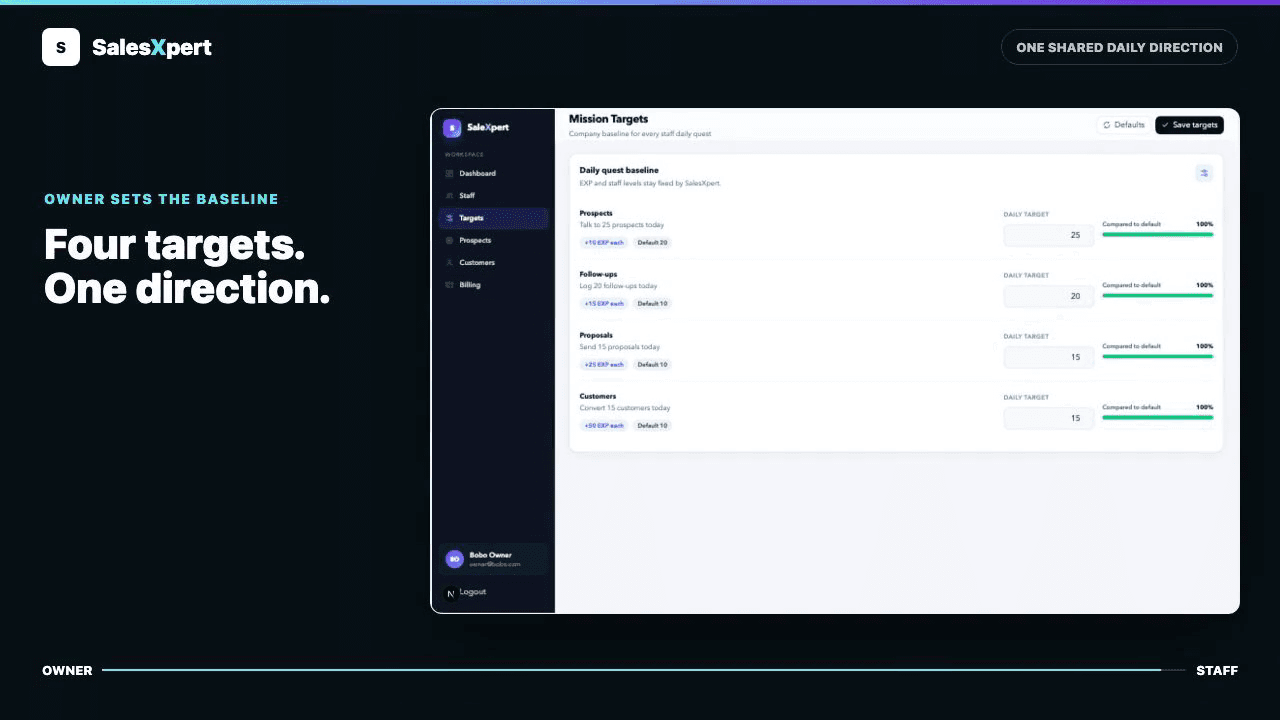
Set the target once. Staff see what to move next.

Owners set company targets across all four daily missions. The same baseline appears in the staff web, turning company direction into clear daily actions.

Real SalesXpert owner and staff views.

Daily rhythm

Four missions. One shared direction.

The same four actions connect owner expectations with staff progress.

01

Prospects opened

Keep new conversations moving into the pipeline.

02

Follow-ups logged

Make the next customer conversation visible.

03

Proposals sent

Show which opportunities reached a real offer.

04

Customers converted

Connect daily action to customers won.

Staff to owner

Staff move the work. Owners see the momentum.

Staff log prospects, follow-ups, proposals, and conversions. SalesXpert turns those updates into team visibility, so owners can support with context instead of chasing reports.

Explore the owner dashboard
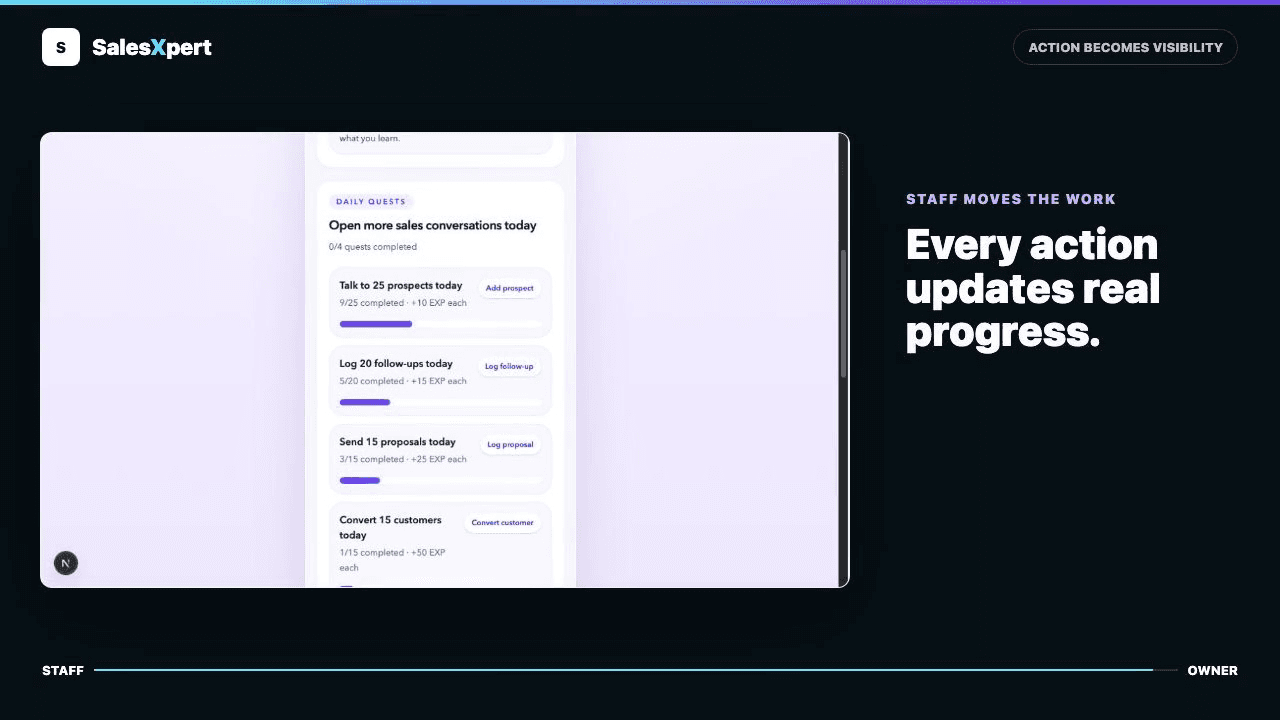
Real SalesXpert owner and staff views.

Motivation that builds momentum.

EXP and levels reward consistent action. Staff see their progress and understand how today's work connects to the company target.

You control who has access.

Invite staff, remove access when needed, and restore it later without deleting the sales history your company has built.

Simple pricing

One product. Two ways to pay.

Start free for three days. Upgrade only when SalesXpert fits your team.

Monthly

$10/ month

Flexible monthly billing with unlimited staff after upgrade.

Yearly

$96/ year

Save 20% while keeping the same complete SalesXpert experience.

Start 3-day trial

FAQ

Got questions? We have clear answers.

The details owners usually want to know before inviting a team.

What does SalesXpert track each day?
SalesXpert follows four daily sales actions: prospects opened, follow-ups logged, proposals sent, and customers converted. Owners see team momentum while staff see the next useful action for the day.
Can owners set EXP or staff levels?
No. Owners set the company mission targets, while SalesXpert keeps EXP and staff levels consistent. This prevents rewards and rankings from changing from one company decision to the next.
How does the 3-day trial work?
A new company gets three days to set up its workspace, invite up to two staff members, and experience the daily mission workflow. When the trial ends, the owner can choose a paid plan to continue.
What happens when I remove staff access?
Removing access stops that staff member from signing in, but their earlier sales records stay with the company. Owners can restore access later without erasing that history.
Does SalesXpert support company time zones?
Yes. Each company chooses its own time zone, and daily mission boundaries follow that company’s local midnight. This keeps daily progress aligned for teams in different regions.
Can I switch between monthly and yearly billing?
Yes. Billing is managed through Stripe. Owners can use the monthly plan or move to yearly billing from the billing area when they are ready.
How do staff members join the company?
The owner creates an invitation and sends the secure invite link to the staff member. After joining, that person uses the separate SalesXpert staff experience for daily missions.
Is SalesXpert an employee monitoring tool?
No passive device monitoring is involved. SalesXpert shows sales work that staff intentionally log in the product, so owners can align and support the team without turning the workplace into surveillance.